Thư viện prompt AI OpenZhenZhen · GPT Image 2.6 · image
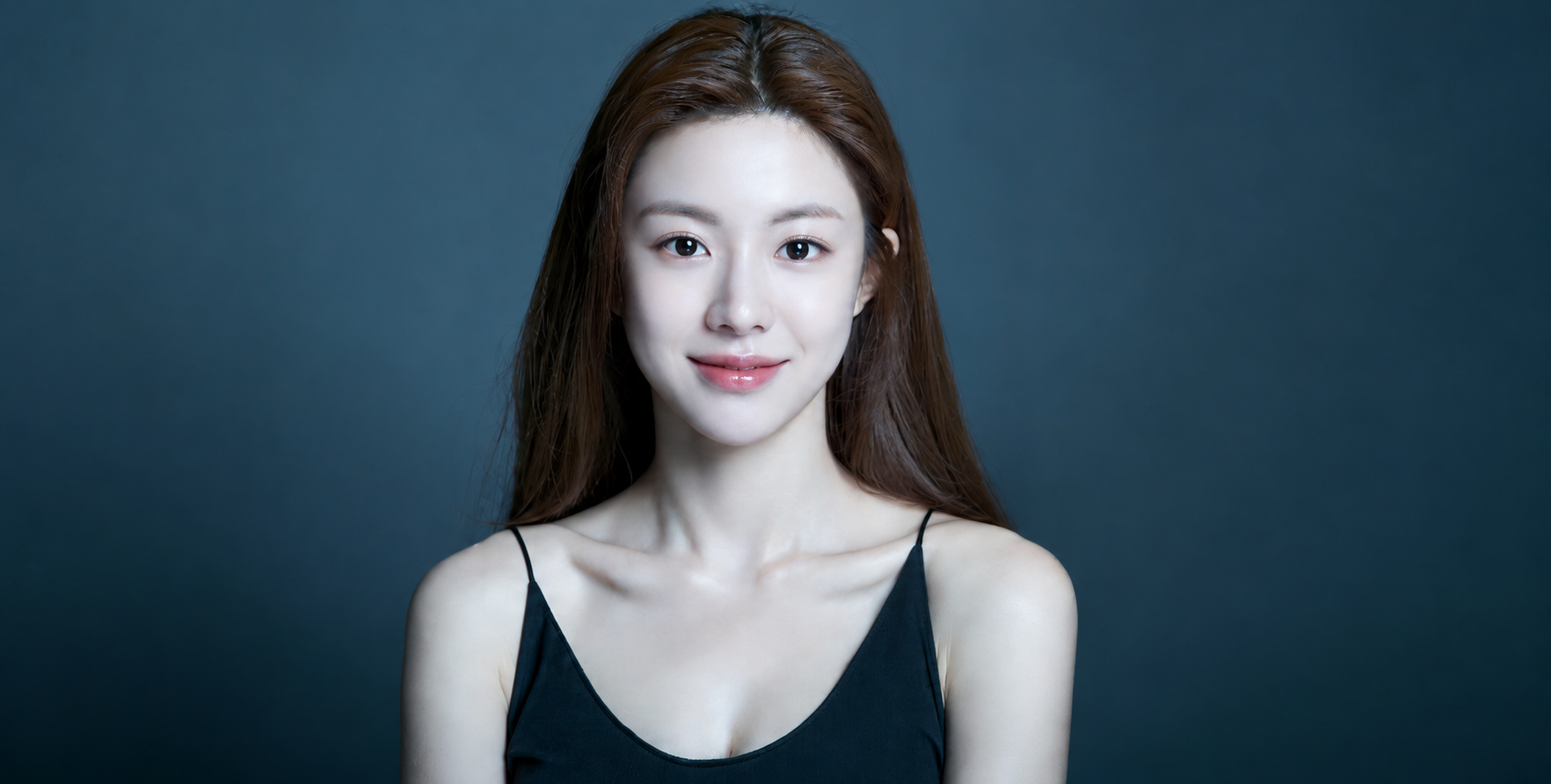
Điều chỉnh biểu cảm chân dung bằng biểu tượng cảm xúc
Adjusting Portrait Expressions with Emojis
Điều chỉnh biểu cảm chân dung bằng biểu tượng cảm xúc — khám phá tác phẩm được tạo bằng GPT Image 2.6 trên OpenZhenZhen, kèm prompt gốc và ví dụ tạo nội dung để tham khảo.
Prompt
Prompt tiếng Trung
仅使用上传的 ref-10a-v1 肖像作为同一位明确成年女性的唯一身份参考。保留她可辨识的面容、五官、成年身份、深色长发、黑色无袖上衣,以及原有肖像取景和背景。只改变面部表情,使其符合所选表情符号的情绪提示:{emoji}。默认值 😊 表示温暖、轻柔的闭口微笑,脸颊自然微微上扬,双眼呈现微微眯起的笑意。表情应真实自然,符合面部结构;不要改变身份、脸型、姿势、服装或周围环境。表情符号仅用于指示面部表情,不要在图像中添加表情贴纸、图标、说明文字或可见的表情符号字符。不要添加其他人物或道具。
Prompt tiếng Anh
Use the single uploaded ref-10a-v1 portrait as the sole identity reference for the same clearly adult woman. Preserve her recognizable face, facial features, adult identity, long dark hair, black sleeveless top and existing portrait framing/background. Change only her facial expression to match the selected emoji cue: {emoji}. For the default 😊, give her a warm, gentle closed-mouth smile, softly lifted cheeks and naturally smiling, slightly narrowed eyes. Keep the expression believable and anatomically natural; do not alter her identity, face shape, pose, clothing or surroundings. Treat the emoji only as a guide to the facial expression—do not add an emoji sticker, icon, caption or visible emoji character to the image. Do not add other people or props.
Xem thêm prompt hình ảnh và video · Tạo hình ảnh · Tạo video · Tạo trên canvas AI
Tác phẩm liên quan
- Nước cam tươi
Nước cam tươi — khám phá tác phẩm được tạo bằng Moss Image trên OpenZhenZhen, kèm prompt gốc và ví dụ tạo nội dung để tham khảo.
- Chín nhãn dán cụm từ thường ngày phong cách chibi
Chín nhãn dán cụm từ thường ngày phong cách chibi — khám phá tác phẩm được tạo bằng GPT Image 2.6 trên OpenZhenZhen, kèm prompt gốc và ví dụ tạo nội dung để tham khảo.
- Những nhân vật tí hon trên chiếc điện thoại âm nhạc khổng lồ
Những nhân vật tí hon trên chiếc điện thoại âm nhạc khổng lồ — khám phá tác phẩm được tạo bằng GPT Image 2.6 trên OpenZhenZhen, kèm prompt gốc và ví dụ tạo nội dung để tham khảo.
- Ảnh selfie cận cảnh trước rèm cửa phong cách thập niên 90
Ảnh selfie cận cảnh trước rèm cửa phong cách thập niên 90 — khám phá tác phẩm được tạo bằng GPT Image 2.6 trên OpenZhenZhen, kèm prompt gốc và ví dụ tạo nội dung để tham khảo.
- Chân dung nhân vật bán thực tế phong cách sổ lưu niệm số
Chân dung nhân vật bán thực tế phong cách sổ lưu niệm số — khám phá tác phẩm được tạo bằng GPT Image 2.6 trên OpenZhenZhen, kèm prompt gốc và ví dụ tạo nội dung để tham khảo.
- Say rượu
Say rượu — khám phá tác phẩm được tạo bằng zhenzhen-image-g-v2.6-lowprice trên OpenZhenZhen, kèm prompt gốc và ví dụ tạo nội dung để tham khảo.