OpenZhenZhen AI 프롬프트 갤러리 · gpt-image-2.5 · image
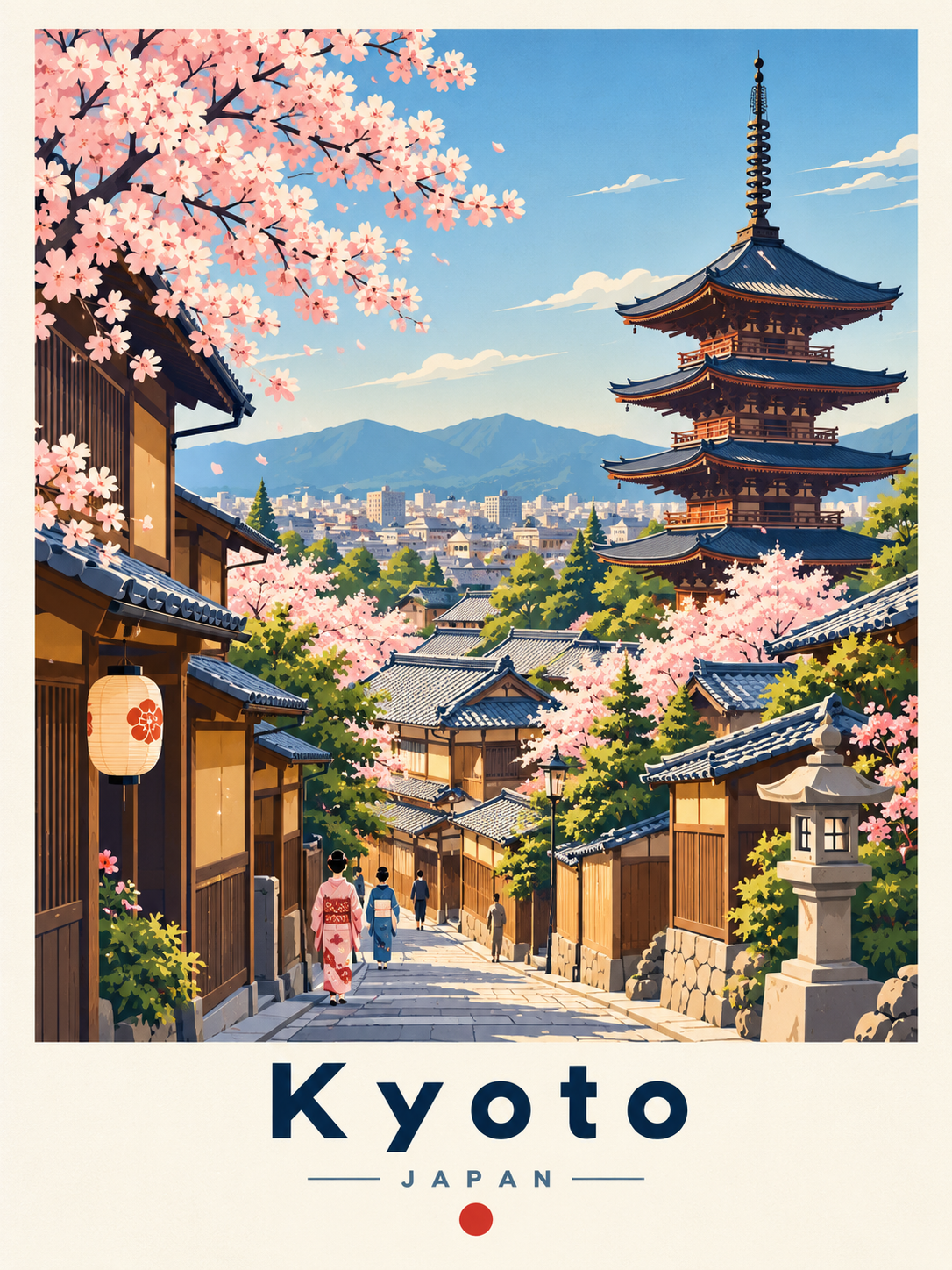
레트로 미니멀 벡터 도시 여행 포스터
Retro Minimalist Vector City Travel Poster
‘레트로 미니멀 벡터 도시 여행 포스터’은(는) gpt-image-2.5로 만든 작품입니다. OpenZhenZhen에서 원본 프롬프트와 생성 예시를 살펴보고 새로운 창작에 활용해 보세요.
프롬프트
중국어 프롬프트
为京都(日本)创作一张3:4纵向、目的地专属的复古旅行插画海报,呈现高级欧洲复古旅行印刷品与清爽现代矢量艺术结合的效果,像该城市真实可信的视觉明信片。准确识别城市与国家;围绕该地真实、可辨认的建筑和景观设计,选取2至4个代表性地标或建筑特征,结合适宜的当地自然环境、交通、公共空间和文化细节。不得虚构地标、混合无关城市或强塞不合地理与构图逻辑的花草、船只、树木等;若国际知名地标较少,则依据真实建筑、城市气质与区域景观构图。 上方为大型、边缘整洁、近矩形的城市景观插画,占画布高度约78%–83%;下方单独设置目的地文字区。采用最能展现城市的略高视点或街道视点,以一个主地标为视觉中心,辅以相协调的建筑。以前景、中景、背景分层建立纵深:可按当地实际情况选用花木、长椅、栏杆、台阶、街道、桥梁、公共空间、交通、次要地标及区域景观;细节适量、平衡而不拥挤,不能遮挡重要地标。仅在合适时加入少量优雅简化的微型行人以表现尺度;天空保持浅净,可酌情加入少量极简云朵或鸟。周围留有充足暖白或浅象牙色留白,背景简洁、整洁、适合印刷。 采用精致扁平矢量插画与中世纪现代旅行海报风格,融合经典欧洲旅游海报、日本插画旅行印刷品、现代编辑矢量艺术和极简建筑插画。使用干净几何形、准确建筑轮廓、分层剪影、克制阴影与微妙色调渐变,细节经过精简但建筑须连贯、可辨。整体为风格化插画而非照片;纸面呈平滑哑光印刷质感,仅有极轻微印刷纹理。主色为深海军蓝、钴蓝、天蓝、暖象牙白和柔奶油色,辅以柔和森林绿、鼠尾草绿、建筑米色、赤陶色和柔灰;根据当地建筑、地域气质和自然环境调整点缀色,保持对比清晰、饱和度适中、优雅且适合印刷。使用明亮柔和日光,尽量避免硬阴影。 在插画下方居中排版:以深海军蓝、优雅几何无衬线体、大字重常规至中等、很宽字距准确写出城市名“京都”;其下以较小的整洁无衬线体、宽字距写出国家名“日本”,可在视觉合适时于国家名两侧加细对称横线;仅在确有必要且合适时于文字下方加入准确的小型国家象征。文字须清晰、拼写正确、简约,不添加未经要求的促销文案。整体构图专业平衡,建筑和几何轮廓清楚。避免写实摄影、3D、动漫或幼稚卡通、水彩/油画、粗乱素描、过重纸纹、阴暗戏剧光、霓虹色、拥挤构图、扭曲建筑、错误或地理不符的地标、难读或拼错的文字、随机字母、过量文字、水印、徽标、被裁地标、失衡排版及摄影抠图。
영어 프롬프트
Create a 3:4 portrait, destination-specific illustrated travel poster for Kyoto (Japan), combining a premium vintage European travel print with crisp modern vector artwork. It should feel like an authentic visual postcard of that city. Correctly identify the city and country. Build the scene around authentic, recognizable architecture and scenery; select 2–4 landmarks or architectural features genuinely associated with the destination, supported by locally appropriate nature, transportation, public spaces, and cultural details. Never invent landmarks, combine unrelated cities, or force in flowers, boats, trees, or other details that are geographically or compositionally unnatural. If internationally famous landmarks are scarce, use the city's actual architecture, urban character, and regional landscape. Place a large, clean-edged, almost rectangular cityscape in the upper portion, covering about 78–83% of the canvas height, with a separate destination-type section below. Choose a slightly elevated or street-level architectural view that best presents the city. Give one dominant landmark visual priority, supported by complementary architecture. Create depth with foreground, middle-ground, and background layers: select locally fitting flowers or trees, benches, railings, steps, streets, bridges, public spaces, transport, secondary landmarks, and regional scenery as appropriate. Keep details moderate, balanced, and rich without crowding or obscuring important landmarks. Use only a few elegantly simplified miniature pedestrians when appropriate to establish scale; keep the sky pale and clean, with minimal stylized clouds or birds only when suitable. Surround the illustration with generous warm-white or pale-ivory negative space on a minimal, uncluttered, print-ready background. Use refined flat-vector illustration and mid-century modern travel-poster styling, drawing on classic European tourism posters, Japanese illustrated travel prints, modern editorial vector art, and minimalist architectural illustration. Use clean geometric shapes, precise architectural outlines, layered silhouettes, controlled shadows, subtle tonal gradients, and carefully simplified detail. Keep architecture coherent and recognizable while remaining stylized, never photographic. Give the artwork a smooth matte printed-paper appearance with extremely subtle print texture. Use deep navy, cobalt, sky blue, warm ivory, and soft cream as primary colors, with muted forest green, sage, warm architectural beige, terracotta, and soft gray as secondary accents. Adapt accents to the city's architecture, regional character, and natural surroundings; maintain clear separation between layers and moderate, elegant, print-friendly saturation. Use bright soft daylight with minimal hard shadows. Center the typography beneath the illustration. Set the city name exactly as “Kyoto” in large, elegant geometric sans-serif lettering, regular-to-medium weight, very wide tracking, and deep navy. Directly below, set the country name exactly as “Japan” in smaller clean sans-serif lettering with wide tracking, using muted navy or a restrained destination-appropriate accent. Add thin symmetrical rules beside the country name only when visually suitable; add a small accurate national symbol beneath only when appropriate. Keep all text minimal, legible, correctly spelled, and free of unrequested promotional copy. Aim for crisp edges, recognizable coherent architecture, precise geometric silhouettes, professional graphic-design balance, and a sophisticated collectible premium travel-poster finish. Avoid photorealism, 3D CGI, anime or childish cartoons, watercolor or oil painting, messy sketch lines, heavy paper texture, dark dramatic lighting, neon colors, clutter, distorted buildings, incorrect or geographically inconsistent landmarks, unreadable or misspelled text, random letters, excessive text, watermarks, logos, cropped landmarks, unbalanced typography, and photographic cutouts.
더 많은 이미지·동영상 프롬프트 보기 · 이미지 생성 · 동영상 생성 · AI 캔버스에서 만들기
관련 작품
- 거친 스타일의 터프 가이 일러스트
‘거친 스타일의 터프 가이 일러스트’은(는) gpt-image-2.5로 만든 작품입니다. OpenZhenZhen에서 원본 프롬프트와 생성 예시를 살펴보고 새로운 창작에 활용해 보세요.
- 기하학적 종이접기 남자 초상화
‘기하학적 종이접기 남자 초상화’은(는) gpt-image-2.5로 만든 작품입니다. OpenZhenZhen에서 원본 프롬프트와 생성 예시를 살펴보고 새로운 창작에 활용해 보세요.
- 눈 내리는 밤 고급차 옆의 흑백 빛 속 냉철한 신사
‘눈 내리는 밤 고급차 옆의 흑백 빛 속 냉철한 신사’은(는) gpt-image-2.5로 만든 작품입니다. OpenZhenZhen에서 원본 프롬프트와 생성 예시를 살펴보고 새로운 창작에 활용해 보세요.
- 도시의 빛과 그림자, 남성 패션 복도 화보
‘도시의 빛과 그림자, 남성 패션 복도 화보’은(는) gpt-image-2.5로 만든 작품입니다. OpenZhenZhen에서 원본 프롬프트와 생성 예시를 살펴보고 새로운 창작에 활용해 보세요.
- 현대 신사의 품격 있는 비밀 정원의 시간
‘현대 신사의 품격 있는 비밀 정원의 시간’은(는) gpt-image-2.5로 만든 작품입니다. OpenZhenZhen에서 원본 프롬프트와 생성 예시를 살펴보고 새로운 창작에 활용해 보세요.
- 상처투성이 얼굴의 중세 전사의 클로즈업
‘상처투성이 얼굴의 중세 전사의 클로즈업’은(는) gpt-image-2.5로 만든 작품입니다. OpenZhenZhen에서 원본 프롬프트와 생성 예시를 살펴보고 새로운 창작에 활용해 보세요.