OpenZhenZhen AI 프롬프트 갤러리 · gpt-image-2.5 · image
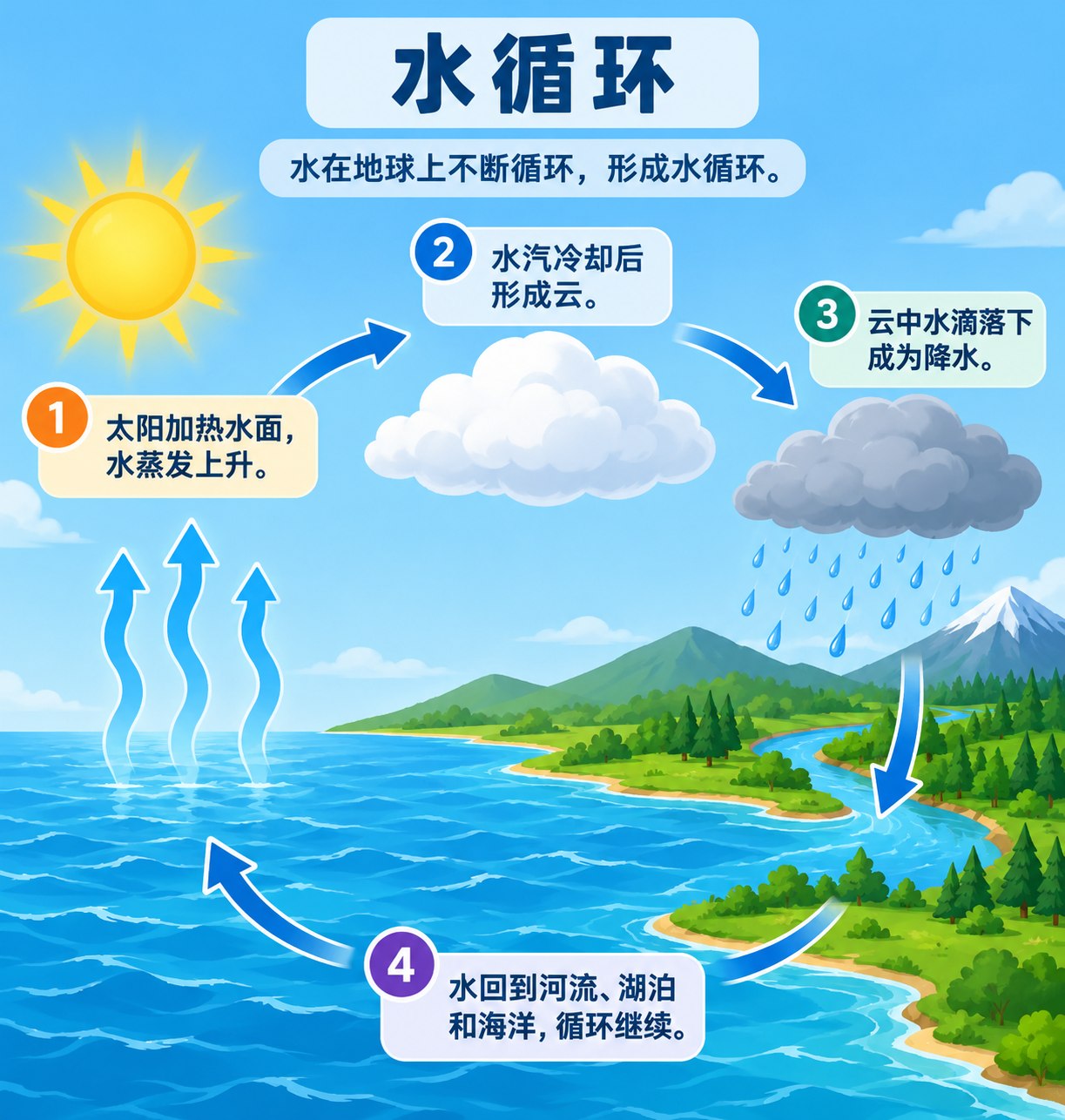
Markdown 콘텐츠를 인포그래픽으로 변환
Markdown Content to Infographic
‘Markdown 콘텐츠를 인포그래픽으로 변환’은(는) gpt-image-2.5로 만든 작품입니다. OpenZhenZhen에서 원본 프롬프트와 생성 예시를 살펴보고 새로운 창작에 활용해 보세요.
프롬프트
중국어 프롬프트
将以下Markdown内容整理成一张清晰、结构分明的信息图: # 水循环(示例默认内容) - 太阳加热水面,水蒸发上升。 - 水汽冷却后形成云。 - 云中水滴落下成为降水。 - 水回到河流、湖泊和海洋,循环继续。 识别其标题、核心主题、关键要点及相互关系,并用简洁的视觉层级、示意图和相关图标来呈现。忠实保留输入的含义与事实,不添加原文没有的主张、日期或数据。生成画面时去掉Markdown语法,但保留有用的标题和列表内容作为可读标签。信息图文字使用输入内容本身的语言。版面均衡、清楚易读、不拥挤,并保持足够对比度和留白。不添加无关文字、标志或水印。
영어 프롬프트
Transform the following Markdown content into one clear, well-structured infographic: # 水循环(示例默认内容) - 太阳加热水面,水蒸发上升。 - 水汽冷却后形成云。 - 云中水滴落下成为降水。 - 水回到河流、湖泊和海洋,循环继续。 Identify its title, main idea, key points and relationships, then arrange them in a concise visual hierarchy using simple diagrams and relevant icons. Preserve the input's meaning and facts; do not add claims, dates or statistics that are not present. Remove Markdown syntax from the rendered design while retaining useful headings and lists as readable labels. Use the source content's language for all infographic text. Keep the page balanced, legible and uncluttered, with strong contrast and generous spacing. Do not add unrelated text, logos or watermark.
더 많은 이미지·동영상 프롬프트 보기 · 이미지 생성 · 동영상 생성 · AI 캔버스에서 만들기
관련 작품
- 밝은 테두리 종이비행기 스티커 아이콘
‘밝은 테두리 종이비행기 스티커 아이콘’은(는) gpt-image-2.5로 만든 작품입니다. OpenZhenZhen에서 원본 프롬프트와 생성 예시를 살펴보고 새로운 창작에 활용해 보세요.
- 하얀 스튜디오의 푹신한 소파 그래피티 인물
‘하얀 스튜디오의 푹신한 소파 그래피티 인물’은(는) gpt-image-2.5로 만든 작품입니다. OpenZhenZhen에서 원본 프롬프트와 생성 예시를 살펴보고 새로운 창작에 활용해 보세요.
- 사용자 가사에서 영감을 받은 영화적 영상 시퀀스
‘사용자 가사에서 영감을 받은 영화적 영상 시퀀스’은(는) gpt-image-2.5로 만든 작품입니다. OpenZhenZhen에서 원본 프롬프트와 생성 예시를 살펴보고 새로운 창작에 활용해 보세요.
- 빈 교실 칠판에 그린 항해 여성 탐험가 원본 분필화
‘빈 교실 칠판에 그린 항해 여성 탐험가 원본 분필화’은(는) gpt-image-2.5로 만든 작품입니다. OpenZhenZhen에서 원본 프롬프트와 생성 예시를 살펴보고 새로운 창작에 활용해 보세요.
- 빈 교실 칠판에 그린 오리지널 모험가 분필화
‘빈 교실 칠판에 그린 오리지널 모험가 분필화’은(는) gpt-image-2.5로 만든 작품입니다. OpenZhenZhen에서 원본 프롬프트와 생성 예시를 살펴보고 새로운 창작에 활용해 보세요.
- 레트로 밤바람 속 차창 너머의 인물
‘레트로 밤바람 속 차창 너머의 인물’은(는) gpt-image-2.5로 만든 작품입니다. OpenZhenZhen에서 원본 프롬프트와 생성 예시를 살펴보고 새로운 창작에 활용해 보세요.