OpenZhenZhen AI 프롬프트 갤러리 · MiniMax H3 · video
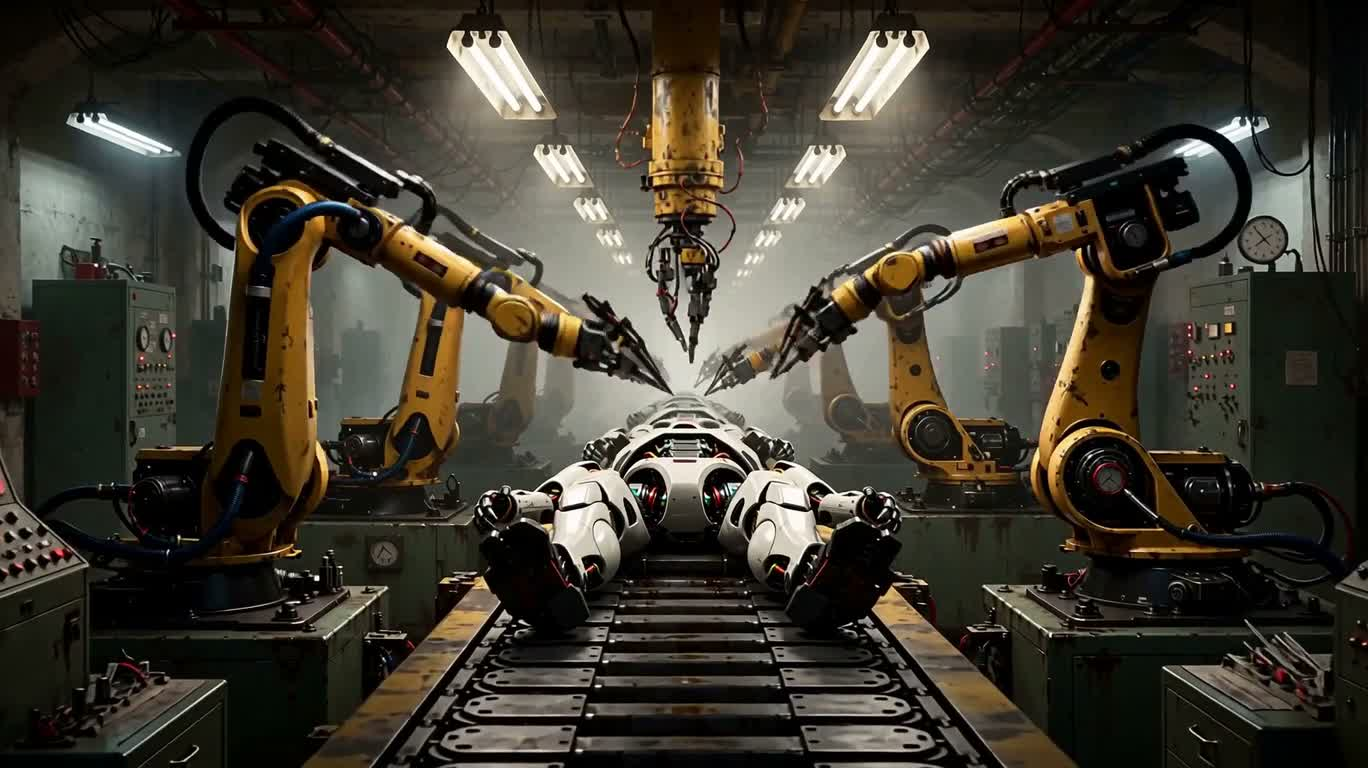
기계 창조물 공장
Mechanical Creation Factory
‘기계 창조물 공장’은(는) MiniMax H3로 만든 작품입니다. OpenZhenZhen에서 원본 프롬프트와 생성 예시를 살펴보고 새로운 창작에 활용해 보세요.
프롬프트
중국어 프롬프트
生成一段20秒、16:9画幅的视频。呈现一座充满想象力的工厂装配线,工业机器人正在主动制造新的机器人:机械臂焊接骨架、安装齿轮与发光部件、拧紧螺栓,并将未完成的机器在同步运转的工位之间传递。画面包含飞溅火花、飘散蒸汽、油润光泽、金属纹理、传送带和仪表盘;暖色车间灯光与冷色阴影形成对比。采用细节丰富的传统油画美学,保留明显笔触、戏剧性构图、可触摸的表面质感和电影般景深。开头以宽幅全景建立环境,中段切入精确制造的中景镜头,加入火花与机械零件的特写,结尾回到宽幅镜头,展示数台新完成的机器人依次启动。保持动作连贯、镜头移动平滑、全片视觉风格统一;不要文字、标志、水印、源视频或音频输入。
영어 프롬프트
Create a 20-second video in a 16:9 aspect ratio. Depict an imaginative factory assembly line where industrial robots actively build new robots: robotic arms weld frames, install gears and glowing components, tighten bolts, and pass unfinished machines between synchronized stations. Show sparks, drifting steam, oil sheen, metal textures, conveyor belts, gauges, and warm workshop light contrasted with cool shadows. Use a richly detailed traditional oil-painting aesthetic with visible brushwork, dramatic composition, tactile surfaces, and cinematic depth. Begin with a wide establishing view, move through medium shots of precise construction, include close-ups of sparks and mechanical parts, then end on a wide shot of several newly completed robots activating in sequence. Keep motion coherent, camera movement smooth, and the visual style consistent throughout; no text, logos, watermarks, source footage, or audio input.
주제 및 스타일
더 많은 이미지·동영상 프롬프트 보기 · 이미지 생성 · 동영상 생성 · AI 캔버스에서 만들기
관련 작품
- 黑色影棚中的悬浮卡布奇诺
- 어두운 다이아몬드 초현실 3D 렌더링
‘어두운 다이아몬드 초현실 3D 렌더링’은(는) MiniMax H3로 만든 작품입니다. OpenZhenZhen에서 원본 프롬프트와 생성 예시를 살펴보고 새로운 창작에 활용해 보세요.
- 해변을 거니는 애니메이션 캐릭터
‘해변을 거니는 애니메이션 캐릭터’은(는) MiniMax H3로 만든 작품입니다. OpenZhenZhen에서 원본 프롬프트와 생성 예시를 살펴보고 새로운 창작에 활용해 보세요.
- 모래 속 유리병에 담긴 보름달 수염
‘모래 속 유리병에 담긴 보름달 수염’은(는) MiniMax H3로 만든 작품입니다. OpenZhenZhen에서 원본 프롬프트와 생성 예시를 살펴보고 새로운 창작에 활용해 보세요.
- 사막의 달빛 아래 스팀펑크 부엉이 왕
‘사막의 달빛 아래 스팀펑크 부엉이 왕’은(는) MiniMax H3로 만든 작품입니다. OpenZhenZhen에서 원본 프롬프트와 생성 예시를 살펴보고 새로운 창작에 활용해 보세요.
- 모래 바다 속 증기 소금 결정 회중시계 램프
‘모래 바다 속 증기 소금 결정 회중시계 램프’은(는) MiniMax H3로 만든 작품입니다. OpenZhenZhen에서 원본 프롬프트와 생성 예시를 살펴보고 새로운 창작에 활용해 보세요.