OpenZhenZhen AI 프롬프트 갤러리 · MiniMax H3 · video
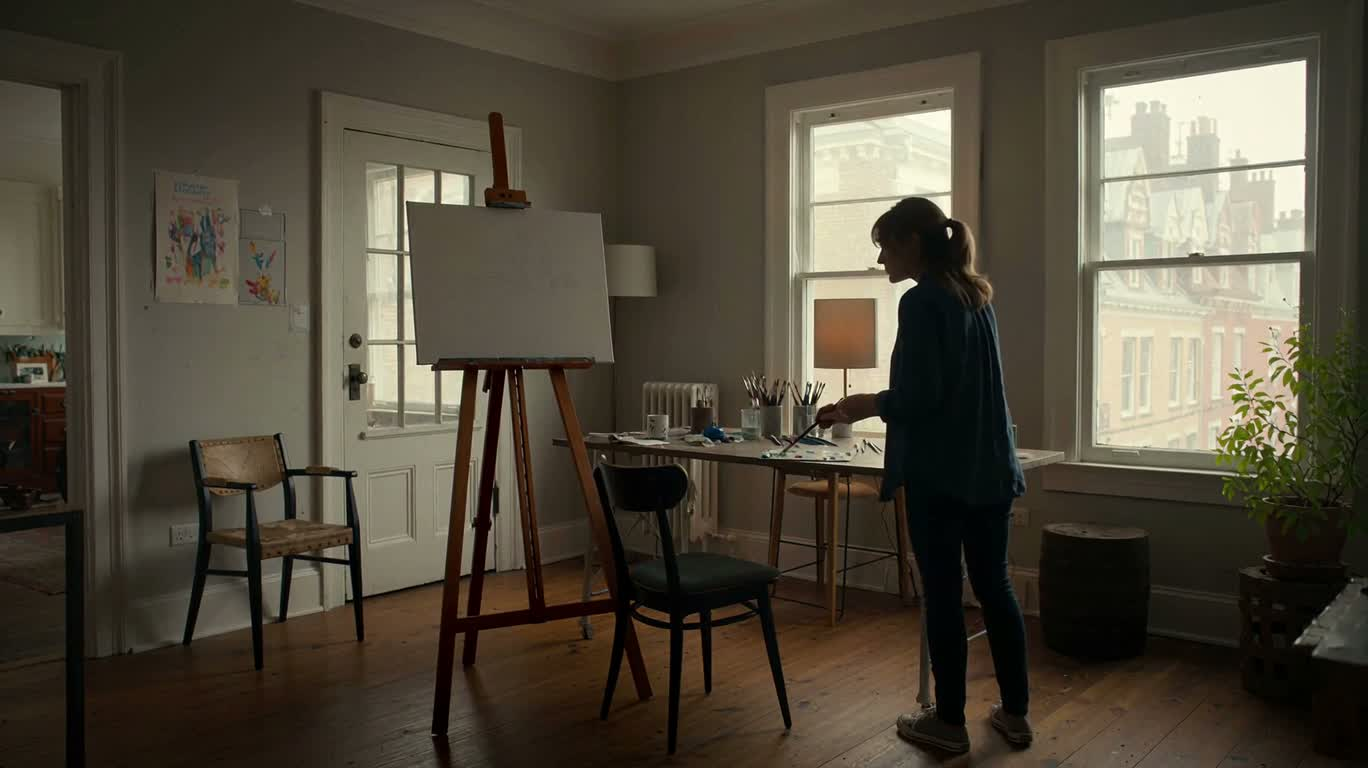
북쪽 창가 아래의 회화 창작 과정
Painting Process Beneath the North Window
‘북쪽 창가 아래의 회화 창작 과정’은(는) MiniMax H3로 만든 작품입니다. OpenZhenZhen에서 원본 프롬프트와 생성 예시를 살펴보고 새로운 창작에 활용해 보세요.
프롬프트
중국어 프롬프트
生成一段20秒、16:9画幅的4K电影感视频,记录亲密自然的艺术家工作室创作过程。场景位于安静的创意工作空间,沐浴在柔和的北向窗户自然光中。采用流畅、观察式的镜头序列:颜料在调色板上混合的极近特写,画笔轻触画布纹理的细节,绘画逐步完成的延时过程,展示艺术决策与画面细节变化的越肩视角,以及艺术家后退一步评估作品的镜头。保持手部和画笔运动真实,突出颜料的触感与纹理、细微的工作室环境动感、浅景深、自然色彩和精致的电影构图。整个视频中工作室、画布、调色板、工具和光线保持连贯。不要对白、字幕、标志或外部源媒体。
영어 프롬프트
Create a 20-second cinematic 4K video in a 16:9 aspect ratio documenting an intimate artist studio process. Set the scene in a quiet creative workspace illuminated by soft, natural north-facing window light. Use a sequence of smooth, observational shots: an extreme close-up of pigments being mixed on a palette, a brush gently contacting the textured canvas, a time-lapse progression of the painting developing, an over-the-shoulder view showing artistic decisions and changing details, and the artist stepping back to evaluate the work. Maintain realistic hand and brush motion, tactile paint texture, subtle ambient studio movement, shallow depth of field, natural color, and refined cinematic composition. Keep continuity in the workspace, canvas, palette, tools, and lighting throughout. No dialogue, subtitles, logos, or external source media.
주제 및 스타일
더 많은 이미지·동영상 프롬프트 보기 · 이미지 생성 · 동영상 생성 · AI 캔버스에서 만들기
관련 작품
- 사자를 탄 카우보이 판다의 영화적 장면
‘사자를 탄 카우보이 판다의 영화적 장면’은(는) MiniMax H3로 만든 작품입니다. OpenZhenZhen에서 원본 프롬프트와 생성 예시를 살펴보고 새로운 창작에 활용해 보세요.
- 달빛 숲의 외로운 늑대
‘달빛 숲의 외로운 늑대’은(는) MiniMax H3로 만든 작품입니다. OpenZhenZhen에서 원본 프롬프트와 생성 예시를 살펴보고 새로운 창작에 활용해 보세요.
- 노을 진 맨해튼의 공중 그네
‘노을 진 맨해튼의 공중 그네’은(는) MiniMax H3로 만든 작품입니다. OpenZhenZhen에서 원본 프롬프트와 생성 예시를 살펴보고 새로운 창작에 활용해 보세요.
- 붉은 노을 해안의 빛나는 거북이들
‘붉은 노을 해안의 빛나는 거북이들’은(는) MiniMax H3로 만든 작품입니다. OpenZhenZhen에서 원본 프롬프트와 생성 예시를 살펴보고 새로운 창작에 활용해 보세요.
- 벤치 위의 고요와 비글
‘벤치 위의 고요와 비글’은(는) MiniMax H3로 만든 작품입니다. OpenZhenZhen에서 원본 프롬프트와 생성 예시를 살펴보고 새로운 창작에 활용해 보세요.
- 모래성 모험
‘모래성 모험’은(는) MiniMax H3로 만든 작품입니다. OpenZhenZhen에서 원본 프롬프트와 생성 예시를 살펴보고 새로운 창작에 활용해 보세요.