OpenZhenZhen AI プロンプトギャラリー · GPT Image 2.6 · image
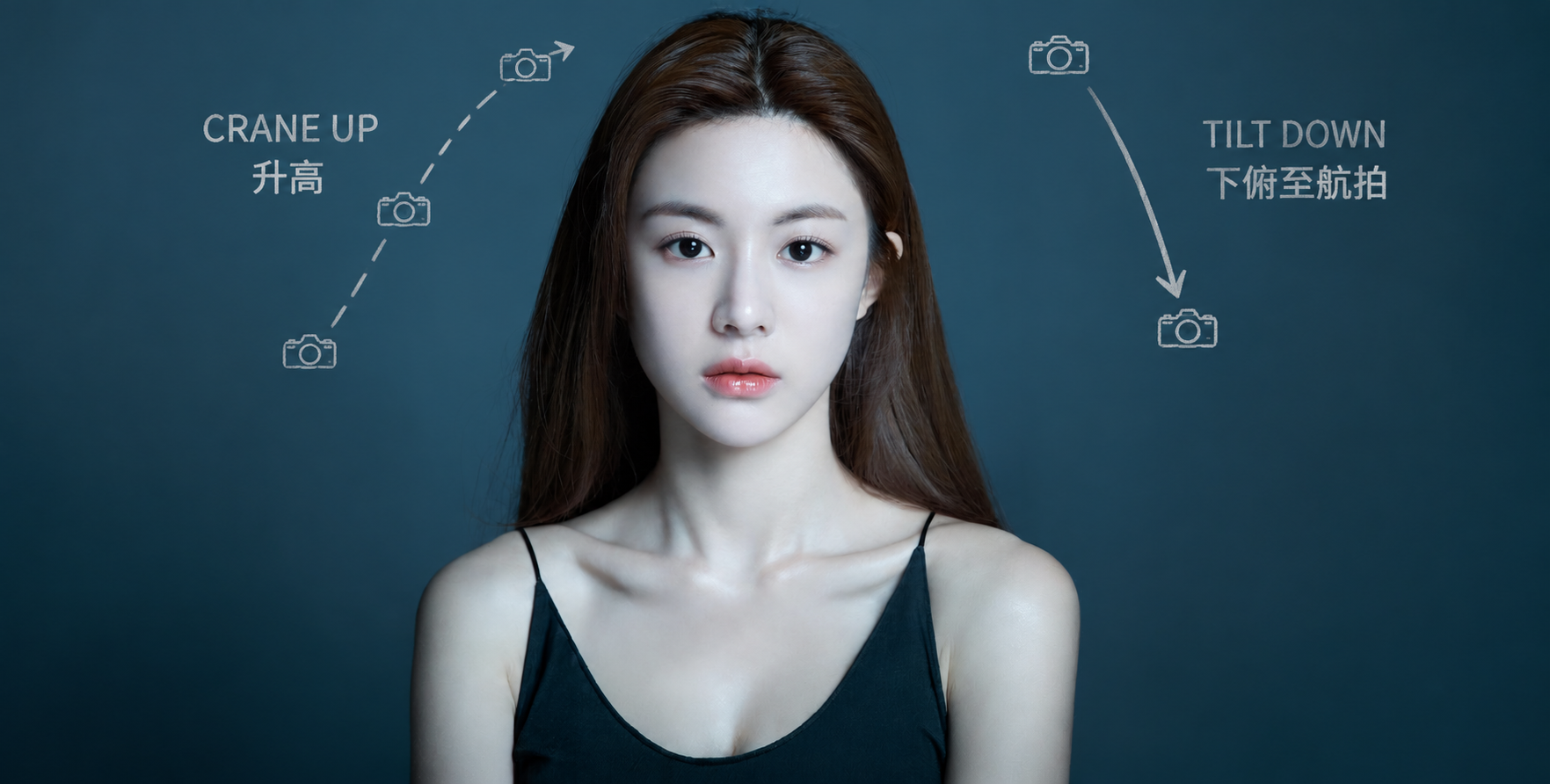
上昇から急降下へ・空撮オリジナルカメラモーション注釈
Aerial Shot: Rise Then Dive – Original Camera Motion Notes
「上昇から急降下へ・空撮オリジナルカメラモーション注釈」は GPT Image 2.6 を使用した作品です。OpenZhenZhen で元のプロンプトと生成例を確認し、創作の参考にできます。
プロンプト
中国語プロンプト
将完整的 ref-10a-v1 照片同时作为 source_image 底图和同一位明确成年女性的身份参考。完整保留照片本身——包括人物、面容、姿势、服装、背景、色彩、光线、取景和所有画面内容——不要替换、重绘、裁切或重新排列任何内容。只在原图上叠加克制的铅笔草图式注释。 按正确顺序说明摄影机运动:先向上升高,再从升高位置向下俯转至航拍视角。用细致的上升虚线、少量连续的小型摄影机位置标记和短标签“CRANE UP”表示第一步;再从升高后的机位画一支清楚、独立的向下俯视箭头,并标注“TILT DOWN”。同时加入对应的简短中文标签“升高”和“下俯至航拍”。箭头应表达摄影机运动和视角变化,而不是照片中女性或其他画面元素的移动。 画面中仅允许出现以下四个标签:“CRANE UP”“TILT DOWN”“升高”“下俯至航拍”。手绘石墨线条应简洁、清楚,放在空白处,不要遮挡女性面部或其他关键内容。保留原图的光线和整体外观。不要添加新场景、摄影设备、界面、时间码、额外文字、水印、人物,也不要虚构镜头或摄影机参数。
英語プロンプト
Use the complete provided ref-10a-v1 photograph as both the source_image/base and the identity reference for the same clearly adult woman. Preserve the photograph itself—its subject, face, pose, clothing, background, colors, lighting, framing and all depicted content—without replacing, repainting, cropping or rearranging anything. Add only a restrained pencil-sketch annotation overlay directly on the image. Explain this camera movement in the correct order: the camera first cranes upward, then tilts downward from the raised position to an aerial view. Draw a fine upward rising dashed path with a few small sequential camera-position marks and the short label “CRANE UP”; then draw a separate, clear downward-look arrow from the elevated position and label it “TILT DOWN.” Add the corresponding short Chinese labels “升高” and “下俯至航拍.” The arrows must communicate camera movement and viewpoint change, not movement of the woman or elements in the photograph. Use only these four visible labels: “CRANE UP,” “TILT DOWN,” “升高,” and “下俯至航拍.” Keep the graphite-like marks sparse and legible, positioned in open areas so they do not cover the woman's face or other key content. Retain the original image lighting and appearance. Do not add a new scene, camera equipment, interface, timecode, extra wording, watermark, people, or invented lens/camera specifications.
画像・動画プロンプトをもっと見る · 画像を生成 · 動画を生成 · AI キャンバスで作成
関連作品
- フレッシュオレンジジュース
「フレッシュオレンジジュース」は Moss Image を使用した作品です。OpenZhenZhen で元のプロンプトと生成例を確認し、創作の参考にできます。
- ちびキャラ日常フレーズステッカー9種
「ちびキャラ日常フレーズステッカー9種」は GPT Image 2.6 を使用した作品です。OpenZhenZhen で元のプロンプトと生成例を確認し、創作の参考にできます。
- 巨大な音楽携帯の上のミニチュア人物
「巨大な音楽携帯の上のミニチュア人物」は GPT Image 2.6 を使用した作品です。OpenZhenZhen で元のプロンプトと生成例を確認し、創作の参考にできます。
- 90年代風のカーテンの前での近距離自撮り
「90年代風のカーテンの前での近距離自撮り」は GPT Image 2.6 を使用した作品です。OpenZhenZhen で元のプロンプトと生成例を確認し、創作の参考にできます。
- セミリアルなデジタルスクラップブック風人物肖像
「セミリアルなデジタルスクラップブック風人物肖像」は GPT Image 2.6 を使用した作品です。OpenZhenZhen で元のプロンプトと生成例を確認し、創作の参考にできます。
- 二日酔い
「二日酔い」は zhenzhen-image-g-v2.6-lowprice を使用した作品です。OpenZhenZhen で元のプロンプトと生成例を確認し、創作の参考にできます。