OpenZhenZhen AI Prompt Gallery · gpt-image-2.5 · image
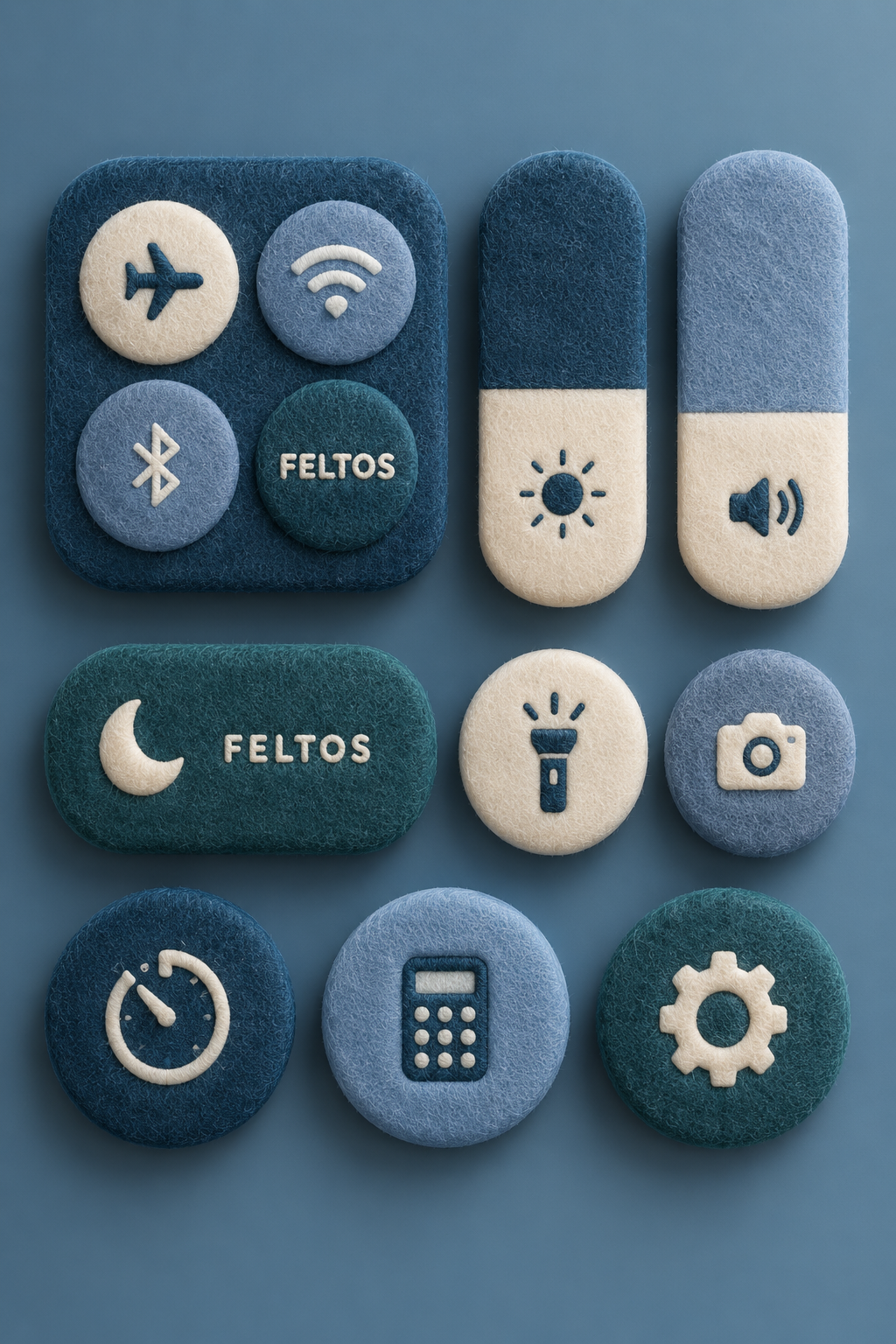
Fuzzy Felt System Control Buttons
Fuzzy Felt System Control Buttons — explore this gpt-image-2.5 creation on OpenZhenZhen, with its original prompt and a reusable generation example.
Prompt
Chinese prompt
制作一组虚构品牌“FELTOS”的毛绒柔软毛毡智能手机控制中心风格 UI 按钮和开关的平铺展示。将圆角方形、药丸形和圆形控制件整齐平衡地散布在画面中,每个控制件都覆盖与 FELTOS 标志性配色和材质语言一致的柔软触感织物纹理。清楚表现飞行模式、Wi-Fi、蓝牙、亮度、音量、手电筒、相机、计时器、计算器、专注模式和设置齿轮图标。图标使用统一、适合毛毡质感的自定义字体和符号系统;少数控制件可以把虚构的 FELTOS 字标绣制或印在毛毡表面,但不得使用任何真实操作系统或公司标志。使用干净的影棚背景、柔和阴影、超写实 3D 渲染细节、高级产品摄影灯光和细腻接触阴影,宽高比为 2:3。不出现人物、水印或额外文字。
English prompt
Create a flat-lay collection of fluffy plush felt smartphone control-center-inspired UI buttons and toggles for the fictional brand "FELTOS". Arrange rounded squares, pill shapes, and circles in a clean balanced spread; cover every control with soft tactile fabric texture matching FELTOS's signature colors and material language. Include clearly readable icons for airplane mode, Wi-Fi, Bluetooth, brightness, volume, flashlight, camera, timer, calculator, focus mode, and a settings gear. Render the icons with a consistent custom felt-friendly type and symbol system; a few controls may carry the fictional FELTOS wordmark embroidered or printed into the felt, but do not use any real operating-system or company logo. Use a clean studio background with soft shadows, hyper-realistic 3D render detail, premium product-photography lighting, subtle contact shadows, and a 2:3 aspect ratio. No people, watermarks, or extra text.
Explore more AI image and video prompts · Try image generation · Try video generation · Create on the AI canvas
Related works
- Original Image and Handmade Paper Art Illustration Two-Panel Poster
Original Image and Handmade Paper Art Illustration Two-Panel Poster — explore this gpt-image-2.5 creation on OpenZhenZhen, with its original prompt and a reusable generation example.
- Bai Suzhen Y2K Millennium Street Fashion Poster
Bai Suzhen Y2K Millennium Street Fashion Poster — explore this gpt-image-2.5 creation on OpenZhenZhen, with its original prompt and a reusable generation example.
- Snowy Portrait in Ice-Blue Impasto Strokes
Snowy Portrait in Ice-Blue Impasto Strokes — explore this gpt-image-2.5 creation on OpenZhenZhen, with its original prompt and a reusable generation example.
- Photo Subject Steps onto the Warm Shadow-Puppet Screen
Photo Subject Steps onto the Warm Shadow-Puppet Screen — explore this gpt-image-2.5 creation on OpenZhenZhen, with its original prompt and a reusable generation example.
- Full-body portrait in blue-and-white starry relief
Full-body portrait in blue-and-white starry relief — explore this gpt-image-2.5 creation on OpenZhenZhen, with its original prompt and a reusable generation example.
- New Chinese-style portrait in a bamboo-shadowed tea courtyard
New Chinese-style portrait in a bamboo-shadowed tea courtyard — explore this gpt-image-2.5 creation on OpenZhenZhen, with its original prompt and a reusable generation example.